Why Do Schools Block All the Fun Websites? (The Real Reasons, Explained)
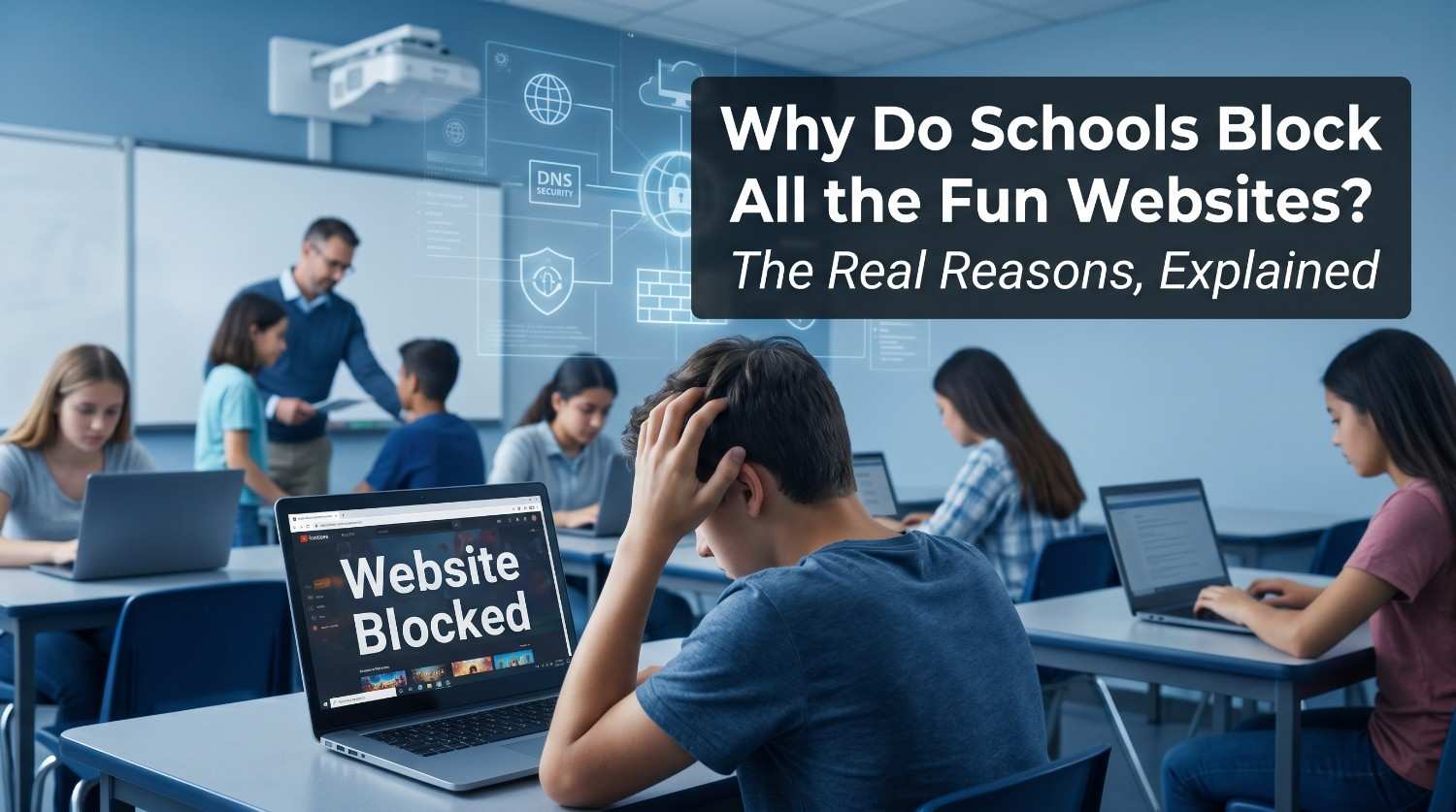
If it feels like your school computer blocks half the internet, you’re not imagining it. Between a federal law, automated filtering software, and some overzealous IT settings, most American students end up staring at a “site blocked” page more often than they should. Here’s exactly what’s going on and why it’s more complicated than schools just hating fun.
- Federal law requires school internet filtering. The Children’s Internet Protection Act (CIPA) mandates that schools receiving E-rate funding discounted internet access must block harmful or obscene content.
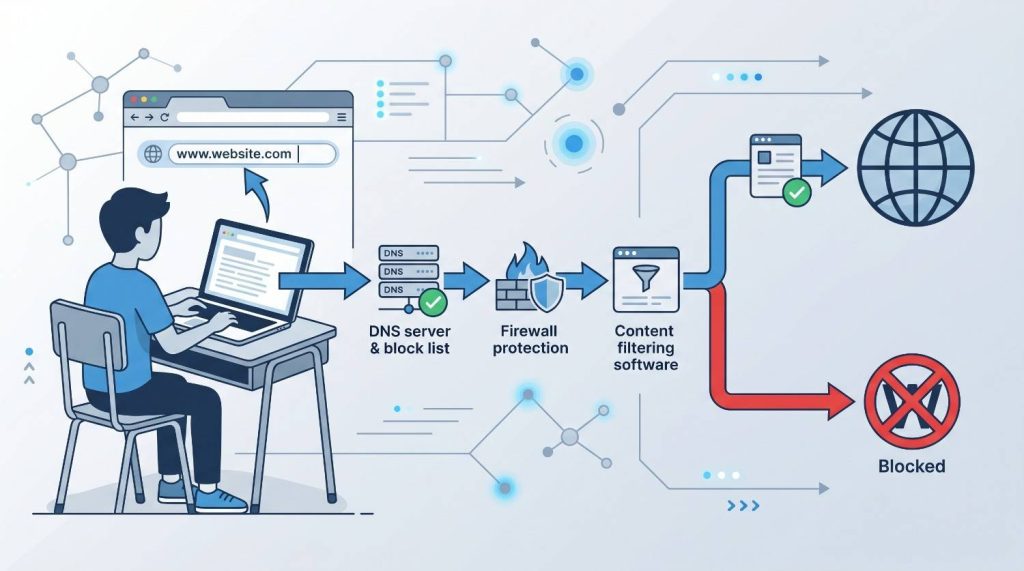
- DNS filtering is the main technology. When you type a web address, the school’s DNS server checks it against a block list before the page ever loads.
- Game and social media sites get blocked for distraction and bandwidth reasons, not just safety. Video streaming and gaming use large amounts of shared network capacity.
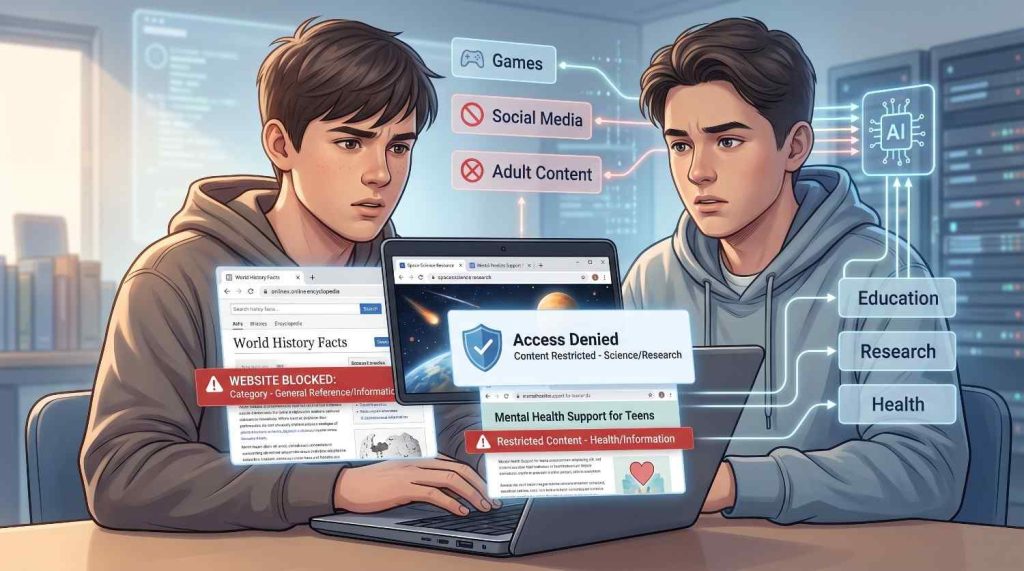
- Schools block far more than the law requires. A 2024 investigation found districts blocking Wikipedia, NASA, and suicide prevention resources not just inappropriate content.
- Filters work by category, not by human review. A site lands in a blocked category and stays blocked even if the reason makes no sense to you.
What Law Forces Schools to Block Websites?
The Children’s Internet Protection Act (CIPA), passed in 2000, is the primary law behind school web filtering in the United States. It requires any school or library receiving federal E-rate funding to block visual content that is obscene, involves child pornography, or is harmful to minors.
E-rate is a federal program that provides schools with discounted internet access and telecommunications equipment. Schools that want those discounts must certify they have an internet safety policy in place including working content filters. Losing E-rate funding is expensive, so virtually all public schools comply.
Compliance means schools must filter but CIPA does not tell them exactly what to block beyond the basics. Everything beyond harmful visual content is left to the discretion of individual school districts. That gap is where most of the frustration comes from.
How Do Schools Actually Block Websites?
Schools use three main technologies to enforce internet filtering: DNS filtering, firewalls, and content filtering software. Most schools combine all three.
DNS filtering is the most common method. When you type a URL into your browser, your device first asks a DNS server to translate that address into an IP address. The school’s DNS server checks the requested domain against a blocklist and if it’s flagged, the connection is stopped before the page ever loads. You see a “site blocked” message instead.
Firewalls act as a second layer. They monitor traffic between the school’s internal network and the outside internet, blocking known harmful IP addresses and protocols. Content filtering software goes further it scans page content in real time and can block pages based on keywords, not just domain names.
A keyword-based filter can block an article about chemistry if it contains a flagged word, even if the article is completely academic. This is one of the main reasons random educational sites end up blocked.
Why Do Schools Block Game Websites and Social Media?
Schools block game websites and social media primarily because of distraction and network bandwidth not safety law. CIPA does not require schools to block Roblox or TikTok. Districts choose to do this on their own.
The distraction case is backed by cognitive science research. Divided attention trying to learn while also monitoring social media or gaming produces shallower, less permanent learning. Schools want students paying attention during class, and access to games makes that harder to enforce.
Bandwidth is a practical concern. Video streaming, multiplayer games, and social media feeds consume large amounts of internet capacity. When dozens of students stream simultaneously, it slows down the network for everyone including teachers and students using educational tools.
Social media also raises cyberbullying and privacy concerns. Schools block platforms like Instagram and Snapchat partly to reduce incidents that spill into the classroom and partly to limit students’ exposure of personal information on school networks.
Why Is Everything Blocked on My School Computer?
The most common reason everything feels blocked is that filters work by category, not by individual site review. A company sells filtering software to a school district. That software sorts millions of websites into categories “games,” “social media,” “health,” “education” and the school checks boxes for which categories to block.
A 2024 investigation by The Markup (now part of CalMatters) reviewed web filter records from 26 school districts across 14 states. The investigation found districts blocking Wikipedia, NASA, suicide prevention resources, and LGBTQ+ advocacy websites — none of which are inappropriate by any reasonable standard. These sites were caught inside broad categories like “human sexuality” or “health.”
Filters also do not distinguish between a student researching a topic for homework and a student browsing for entertainment. When a site is in a blocked category, it is blocked for everyone student or teacher, research or recreation. Teachers report equal frustration with filters blocking resources they want to use in class.
Schools also set different rules for students versus staff. Students face the most restrictive settings, which is why the same site loads fine at home or on a teacher’s device but not on a school-issued computer.
Is School Internet Filtering Censorship in Schools?
Whether school web filtering crosses into censorship is genuinely debated. CIPA compliance requires blocking harmful content that is a legal obligation. But districts routinely go far beyond what the law requires, and those extra blocks reflect local political and cultural decisions, not federal mandates.
Markup’s investigation found that blocking patterns often mirror broader cultural debates. Some districts block sex education information, abortion-related sites, and LGBTQ+ resources decisions driven by local school board politics rather than child safety law. The ACLU launched a “Don’t Filter Me” campaign specifically to challenge over-filtering of LGBTQ+ content.
CIPA itself says nothing about blocking political or social topics. Schools are legally free to filter beyond the minimum, but critics argue that filtering health resources, educational encyclopedias, or mental health hotlines does real harm to students who need that information.
What Websites Do Schools Typically Block for Students?
Most school districts block content in the following categories:
| Category | Common Examples | Primary Reason |
| Gaming | Roblox, Miniclip, browser game sites | Distraction |
| Social Media | TikTok, Instagram, Snapchat, Twitter/X | Distraction, cyberbullying |
| Video Streaming | YouTube (sometimes partially), Twitch | Bandwidth |
| Adult Content | Pornography, explicit sites | CIPA legal requirement |
| Proxy / VPN Tools | VPN apps, proxy bypass sites | Filter evasion prevention |
| Chat / Messaging | Discord, WhatsApp Web | Distraction, safety |
| Violent / Harmful Content | Hate sites, self-harm content | CIPA + student safety |
| Sometimes Incorrectly Blocked | Wikipedia, NASA, educational health sites | Over-broad category filtering |
The last row is not a bug it is an inevitable consequence of automated category-based blocking at scale.
Why do schools block websites that aren’t even inappropriate?
Schools use automated filtering software that blocks entire content categories at once, not individual sites. If a site falls into a flagged category even incorrectly it gets blocked without human review. A 2024 investigation by The Markup found legitimate educational sites like Wikipedia and NASA blocked in multiple school districts because they were caught inside broad blocked categories. The process is automated and imperfect by design.
Is it illegal for schools to block certain websites?
CIPA requires schools to block obscene and harmful content to receive E-rate funding. Beyond that, there is no federal law limiting what schools can block. However, over-blocking educational or health resources may conflict with students’ right to access information, and organizations like the ACLU have challenged extreme filtering practices. Blocking suicide prevention or crisis resources has drawn particular criticism from mental health advocates.
How do schools block websites technically DNS or firewall?
Most schools use DNS filtering as the first line of defense. When a student types a web address, the school’s DNS server checks it against a blocklist before connecting. If flagged, the request is stopped immediately. Schools also layer firewalls which block based on IP addresses and content filtering software that scans page content for flagged keywords. These three technologies work together, which is why bypassing one method often still leaves others active.
Why does my school block everything but other schools don’t?
Every school district sets its own filtering rules within the minimum requirements of CIPA. Some districts block only what the law requires; others block hundreds of additional categories based on local school board decisions. A student in one district may have access to sites that are fully blocked in another district across town. The internet literally looks different depending on which school’s network you are on.
Can teachers unblock websites for students?
It depends on the district. Many filtering platforms let teachers request exceptions or whitelist specific URLs for class use. In practice, however, the process is often slow and bureaucratic teachers frequently report that sites they need for lessons stay blocked for weeks before IT approves them. Some districts give teachers slightly less restrictive filter settings by default, which is why certain sites work on a teacher’s device but not a student’s.
About The Author

Hey, I’m Jody! I’m a web developer by profession and a passionate gamer from heart. Over the years, I’ve combined these two worlds by creating custom mods of mini web based games and tools to assist in those game so game's community members can enjoy enhanced user experience. Cookie Clicker Unblocked is also one of such project, created out of my love for the Cookie Clicker game.
I’ve released 7 versions to date, built dedicated cookie calculating tool, and even published a detailed guide to help players navigate the game like a pro. Let’s make gaming even more fun together!
- Jody Pressman

- Jody Pressman
- Jody Pressman
- Jody Pressman
- Jody Pressman
- Jody Pressman
- Jody Pressman
- Jody Pressman
- Jody Pressman
- Jody Pressman
- Jody Pressman
- Jody Pressman